

视频演示:
资源介绍:
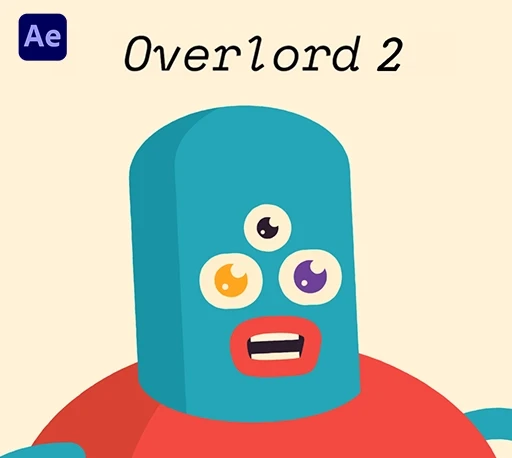
Overlord是一款用于连接Adobe After Effects、Illustrator、Photoshop以及Figma的跨软件工作流工具,它的核心作用是让设计与动效之间的转换变得更加直接高效。通过Overlord,可以将设计软件中的图层(包括矢量形状、文字、渐变、蒙版等)一键传输到After Effects中,并保持原有的可编辑结构,而不是被压扁成静态素材或需要重新搭建图层。它大幅减少了传统导入PSD或SVG后反复整理图层的步骤,让设计稿能够更快速进入动画制作阶段。对于从事动效设计、UI动画或商业广告制作的创作者来说,Overlord能显著提升跨软件协作效率,使创作流程更加流畅自然。
The Prince that was promised. Our hope for the future. An end to blog posts about Prepping Illustrator Files for After Effects in 7 Easy Steps.Overlord is a set of two panels that, when both open, create a portal between Illustrator and After Effects. This mystical Stargate allows the transfer of shapes as you need them, while animating, without the need for file organization, importing, converting to shape layers or redrawing. This is the vector workflow you imagined when working with apps created by the same company.Ae shape layers may also be transferred back to Illustrator for editing with more robust drawing tools. Think of it as using Illustrator as a plugin for After Effects.Work with shapes, not files.
安装步骤:
- 退出Adobe软件,双击安装Overlord_2.7.0_x64-setup.exe
- 拷贝BattleAxe文件夹里面的Prana和Overlord到如下位置替换
C:\用户\你的用户名\AppData\Roaming\BattleAxe - 在C:\Windows\System32\drivers\etc\ 的Hosts文件加下如下代码保存
127.0.0.1 us-central1-battle-license.cloudfunctions.net
127.0.0.1 battleaxe.dev
::1 us-central1-battle-license.cloudfunctions.net
::1 battleaxe.dev - PS安装步骤:
将OverlordUXP文件夹拷贝到PS安装目录的Plugins里面即可
支持Win/MAC系统:AE 2021- 2026 或更高版本